Responsive Statistics
Statistics cards now reflow as the Settings window changes size instead of squeezing six columns into narrow layouts.

Clipboard and snippets, made smarter.
Ravioli helps you keep clipboard history clean, build dynamic snippet templates, and paste faster with context-aware actions. Free mode is fully usable. Pro unlocks advanced features. Ravioli Pro is a one-time purchase for major version 1.
Open from the menu bar or press ⌘ ⇧ V anywhere.
Available now
Statistics cards now reflow as the Settings window changes size instead of squeezing six columns into narrow layouts.
Formatted values stay on one line and every statistics card keeps the same height.
Existing Direct installations can update from Ravioli Settings.
Simple by design
Ravioli stays out of the way until you need it, then opens over whatever you are working on.
01
Copy text or images from a browser, editor, chat, Terminal, or any other Mac app. Ravioli can also collect new macOS screenshots.
02
Open Ravioli over your current app and search clips, snippets, and automatically detected content.
03
Use the full menu by default to edit first, keep the clipboard unchanged, translate, pin, or run a context-aware action.
Seven signature workflows
Every screenshot below is captured automatically from Ravioli’s real interface with isolated test data — the same panels and actions you get in the app.
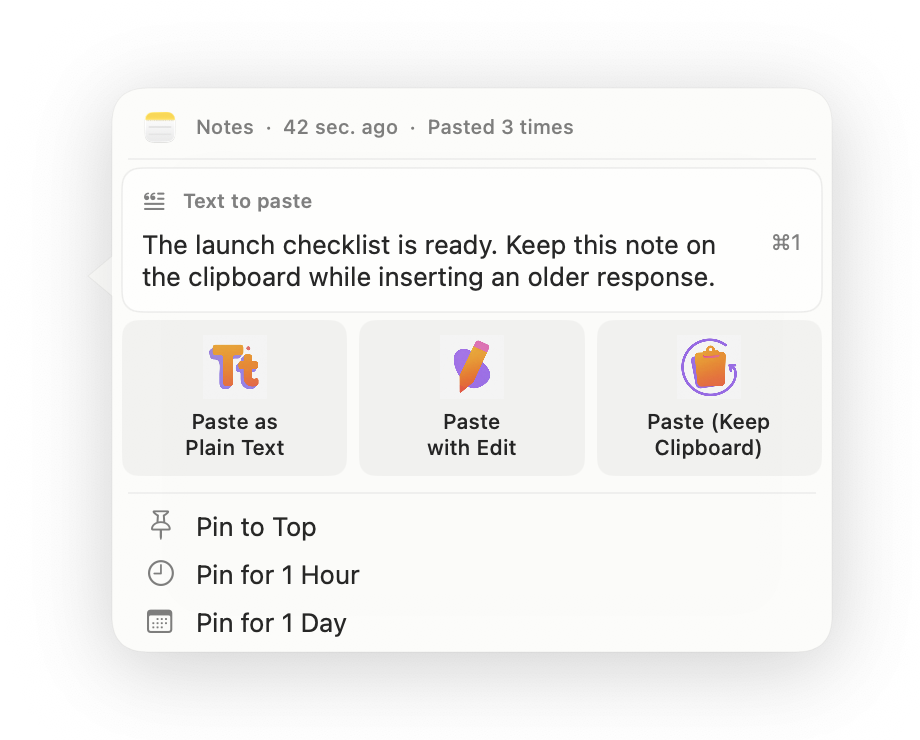
Paste modes
Use Paste (Keep Clipboard) to insert any older item while Ravioli restores what was already on your clipboard. No copy-again cleanup after every detour.
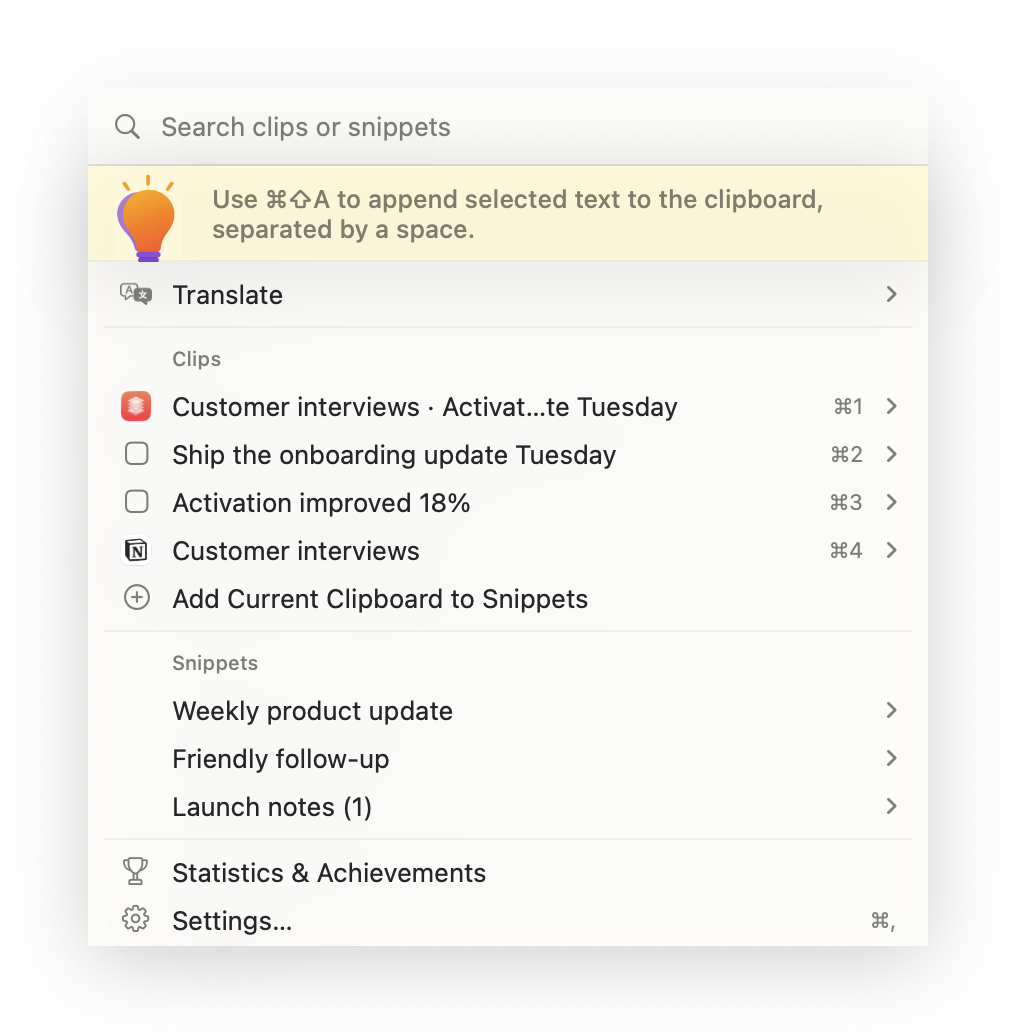
Append Copy
Select a fragment, press ⌘ ⇧ A, move to the next app, and keep collecting. Ravioli appends every selection into one clean clipboard item ready to paste.
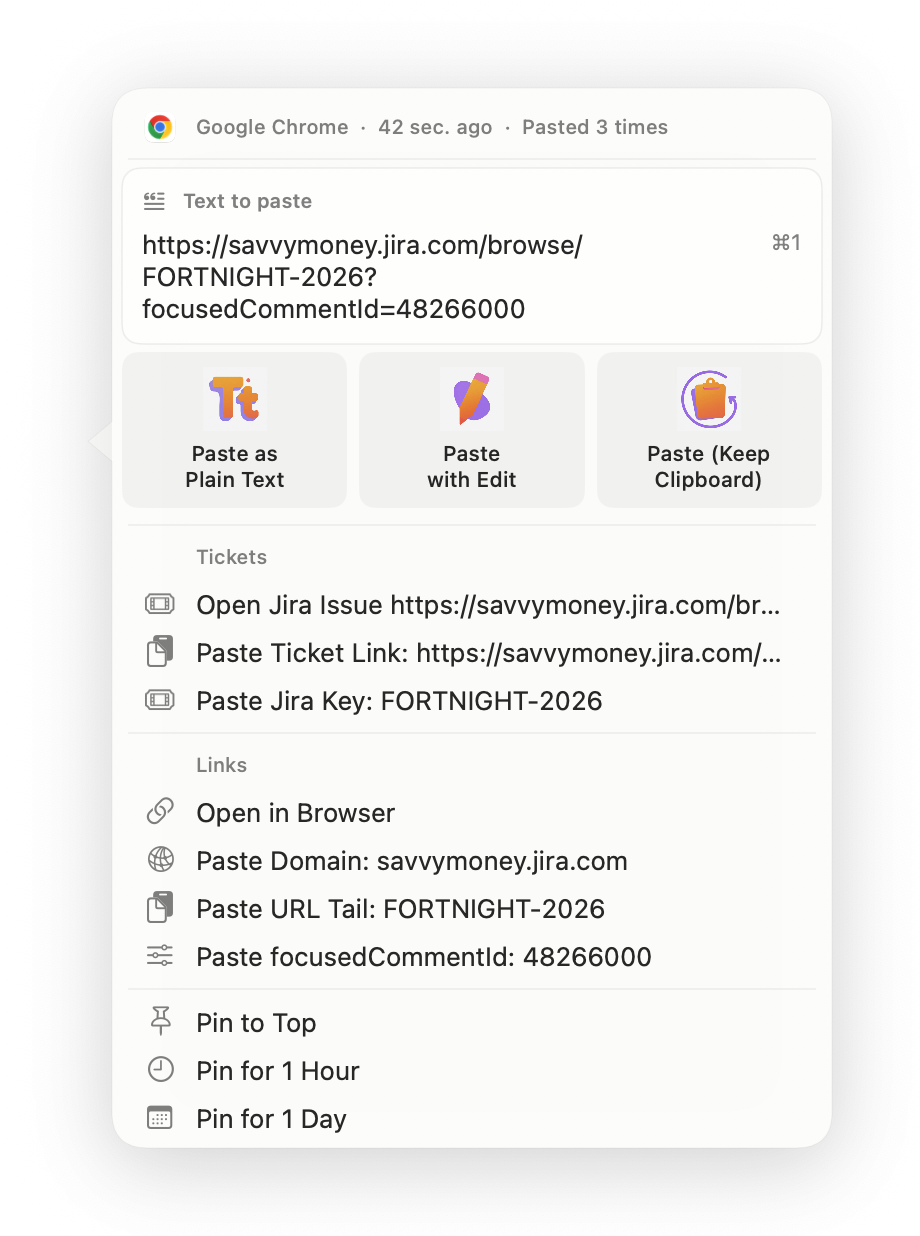
Smart context
Copy a Jira link and Ravioli understands the useful pieces immediately. Open the issue, paste its canonical link or key, or reuse the domain and query values without manual cleanup.
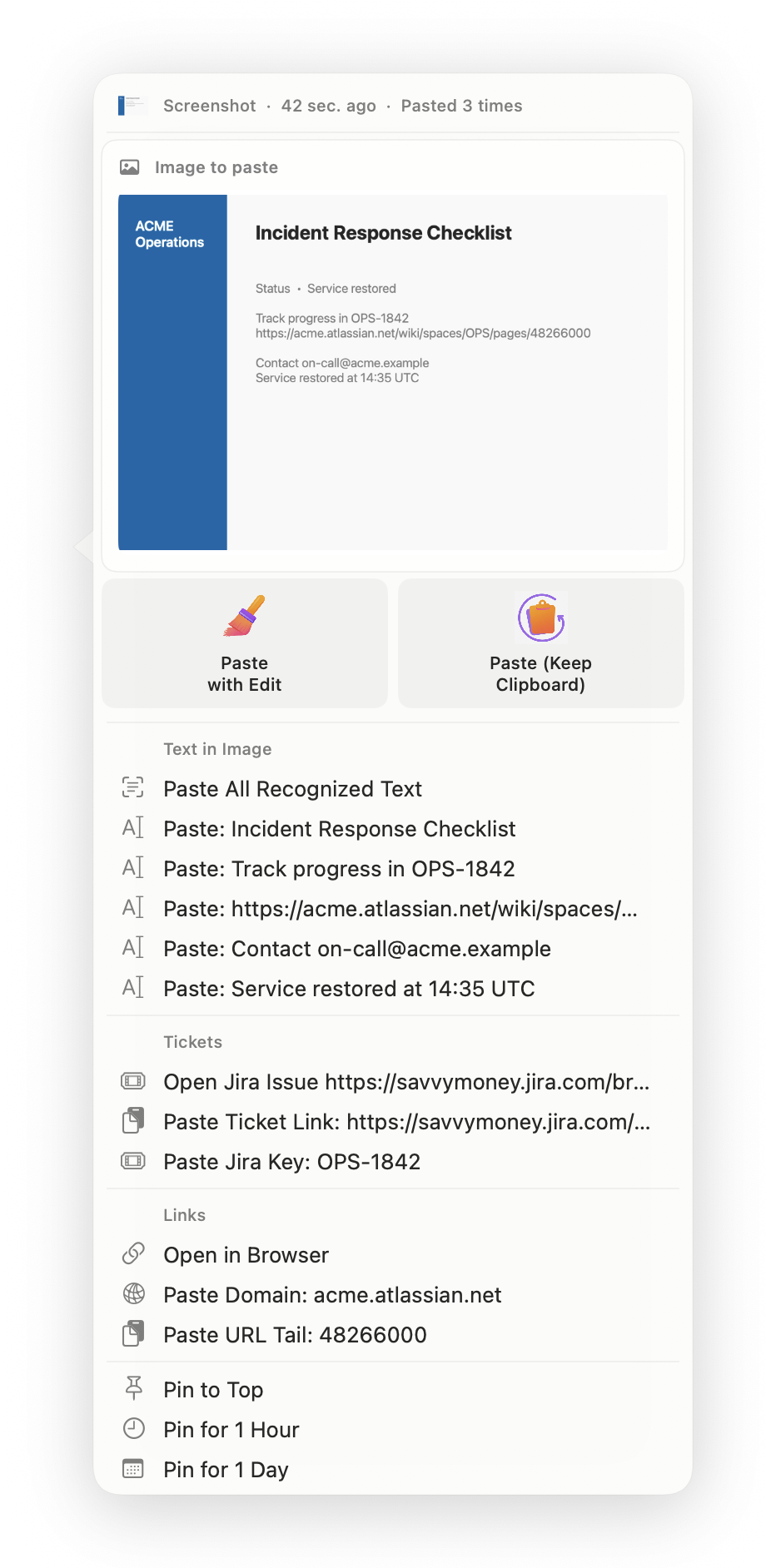
Screenshots + OCR
New screenshots can appear in Ravioli automatically. Apple Vision recognizes their text in the background, then the same panel offers the original image, individual lines, ticket actions, and browser actions.
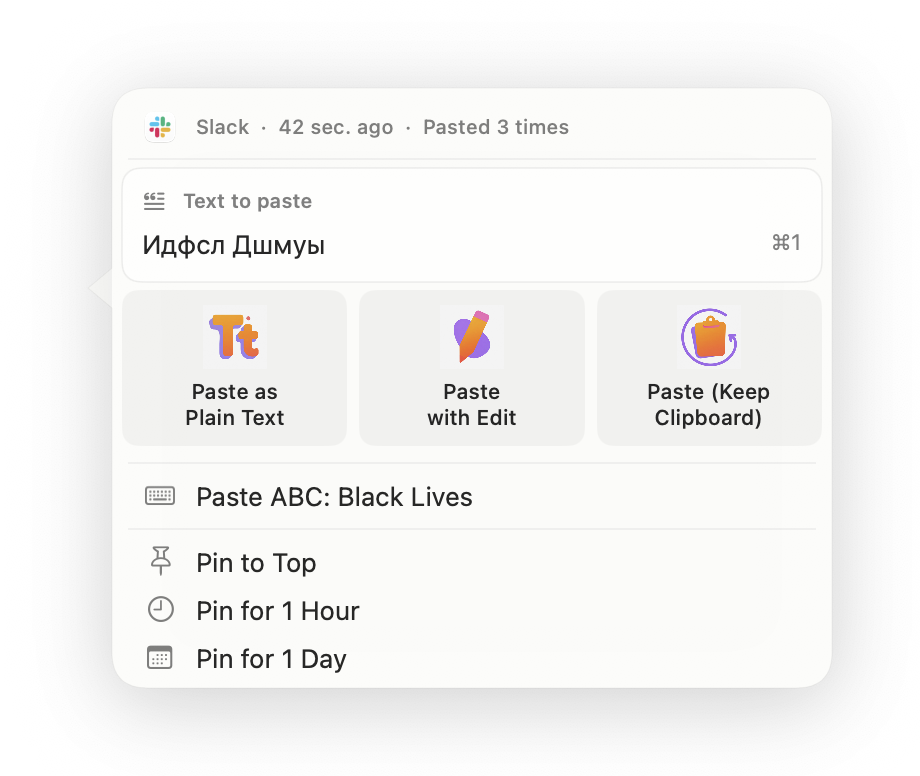
Keyboard rescue
Copied Cyrillic-looking gibberish can become the Latin text you intended with one action. Ravioli builds conversion choices from the keyboard layouts installed on your Mac.
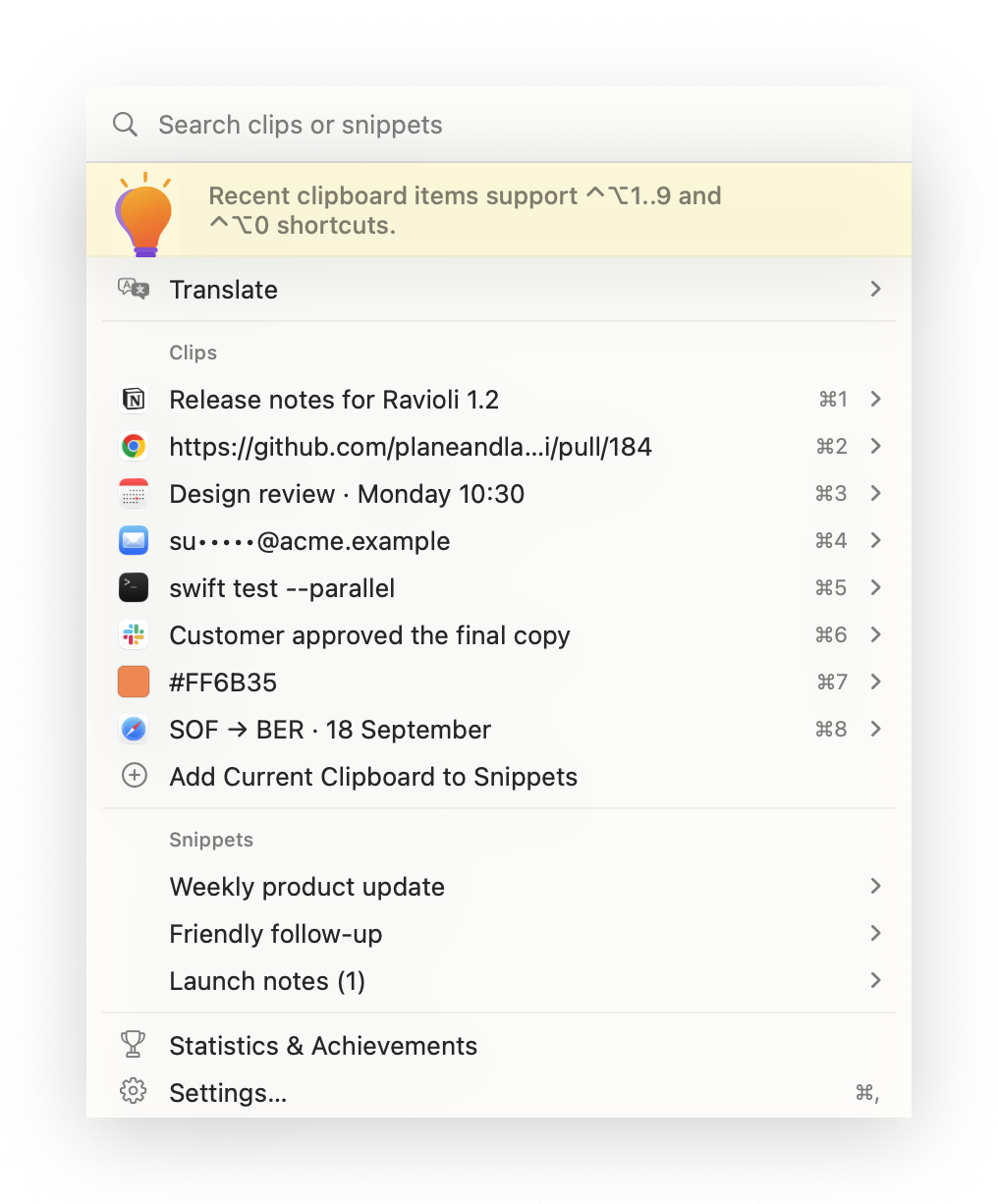
Keyboard-first
The first ten recent items are numbered for immediate keyboard access. Search stays focused, snippets sit beside clips, and global shortcuts can paste recent items without opening Ravioli first.
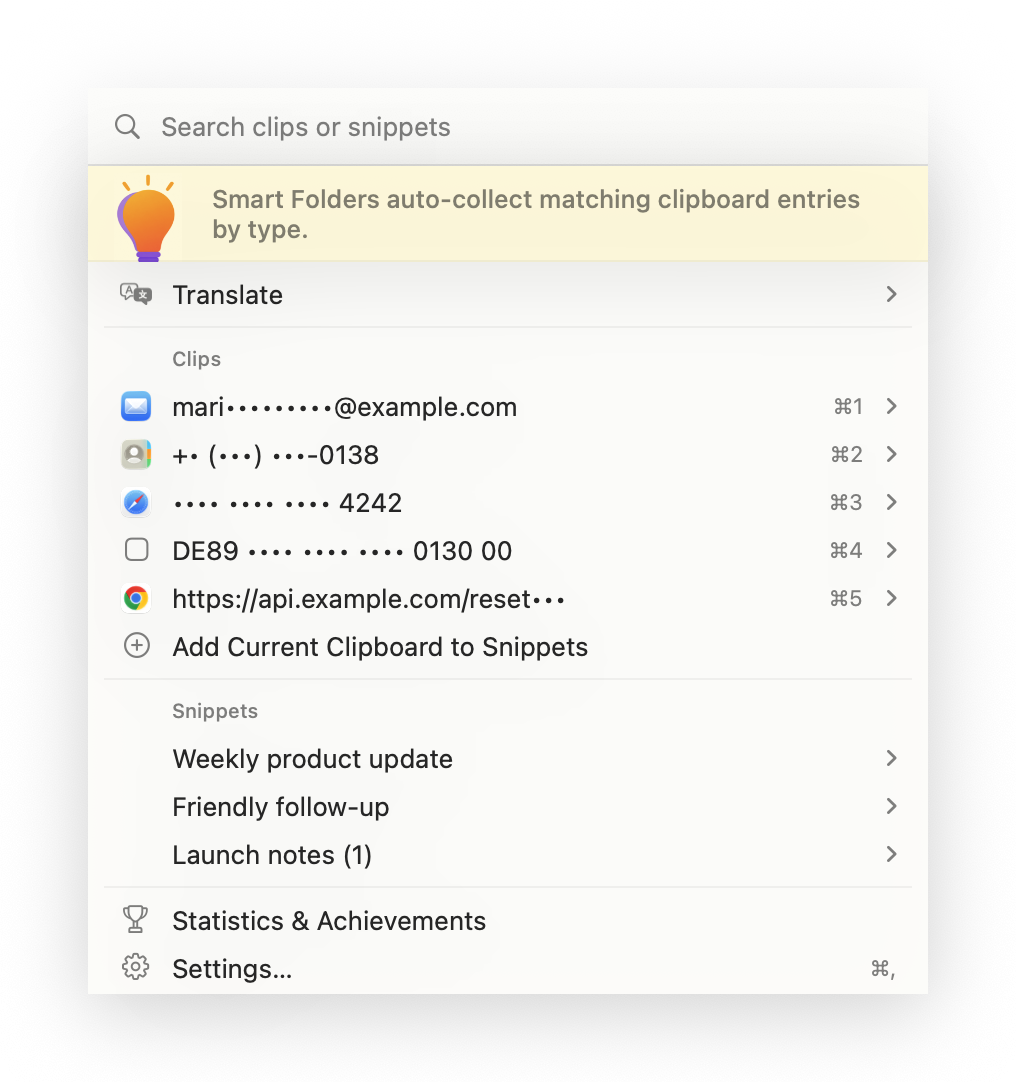
Privacy by design
Ravioli can mask emails, phone numbers, card numbers, IBANs, passwords, tokens, and secret-like URL values in the menu while keeping the underlying clipboard item available when you deliberately paste it.
Useful supporting tools, without pretending each one needs a billboard.
Insert live dates, UUIDs, clipboard or selection text, app details, random values, and your own local placeholders into reusable snippets.
Formatted copied text keeps headings, emphasis, and lists in the preview instead of collapsing into an unreadable wall.
Keep reusable replies at the root or organize them into folders, with search and individual snippet shortcuts.
Edit text in a roomy side-by-side workspace, or resize, crop, rotate, recolor, and frame an image before it lands.
Translate selected or copied text with Apple’s macOS Translation framework and paste the result from Ravioli.
Keep an item at the top permanently, for one hour, or for one day so temporary context cleans itself up.
See active days, source apps, paste habits, and unlockable milestones without turning clipboard work into a dashboard chore.
Free
Instant Paste
Paste from Clips, root snippets, and snippet shortcuts.
Paste as Plain Text
Use plain text paste action from regular and advanced menus.
Pin to Top
Regular pin and unpin are included.
Snippets and Folders
Create unlimited snippet folders and manage snippets in settings.
2 Folder Copy Limit
On Free, paste from the first 2 snippet folders; root snippets stay unlimited.
Smart Folder Visibility
Show smart folders in the menu and control every folder from Settings.
Image History and Preview
Keep copied images beside text clips and inspect a large preview before pasting.
Statistics and Achievements
See activity, source apps, active days, and milestones you have unlocked.
Pro
Translation
Enable Translate in menu and choose target language.
Smart Sorting
Sort snippets by usage frequency automatically.
Smart Folders (Full Access)
Insert from smart folders directly, not only preview.
Smart Context Actions
Detected links, tickets, emails, IDs, and terminal commands become actionable.
Keyboard Layout Conversion
Paste converted text for alternative keyboard layouts.
Advanced Shortcuts
Get more convenient shortcuts.
Advanced Paste Modes
Paste with Edit and Paste (Keep Clipboard).
Image OCR and Screenshot Capture
Collect screenshots and paste text recognized locally with macOS Vision.
Image Paste with Edit
Resize, crop, transform, recolor, or add a screenshot background before pasting.
Ticket and Pull Request Bases
Turn detected work-item keys into links that open in the right tracker or repository.
Timed Pinning
Pin items for 1 hour or for 1 day.
Unlimited Folder Access
Paste from all snippet folders with no Free limits.
Privacy
Clipboard history, copied images, recognized image text, and snippets are stored locally in your macOS Application Support folder.
Core clipboard workflows do not upload their content to Plane and Ladybird. OCR uses Apple’s on-device Vision framework, and Translation uses Apple’s macOS Translation framework.
Sensitive-data masking can hide detected secrets, passwords, tokens, and similar values in the menu.
Direct download
The app is signed with Developer ID and notarized by Apple for direct distribution.
Plane and Ladybird
$20 for Ravioli Pro v1 (one-time).
For billing or license questions, contact hello@planeandladybird.com.
Need to restore Pro access? Open restore page.
Website checkout is disabled for now. Download Ravioli and buy Pro from inside the app.
FAQ
Clipboard history, snippets, search, and regular paste workflows work locally. Internet access is used for update checks, purchasing or restoring Pro, and any Apple language resources required by Translation.
Ravioli stores clipboard history and snippets locally in your macOS Application Support folder. Clipboard and snippet content is not uploaded to Plane and Ladybird as part of the core history and snippet workflow.
Yes. Launch at Login can be enabled or disabled in Ravioli settings. You can also change the clipboard history limit there.
No. Ravioli Pro v1 is a one-time $20 purchase and includes updates released within major version 1.
Open the Restore Access page and send the purchase email and order ID, if available. We usually respond within two business days.
Restore Pro access →Yes. The direct-download build is a Universal app containing both Intel and Apple Silicon architectures.
These pages apply to Ravioli purchases and are required for billing verification.
A calmer Mac workflow
Ravioli handles what you copy. Rotelle accounts for the work around it, while Occhi di lupo helps you step away from the screen.

Track the work behind every paste
Run focused timers, pull in Jira tasks, review the week, and turn recorded work into clear reports without leaving your Mac.

Give your eyes a quieter screen routine
Use short guided eye breaks, gentle reminders, and private on-device tools when a fast Mac workflow turns into a long screen day.